
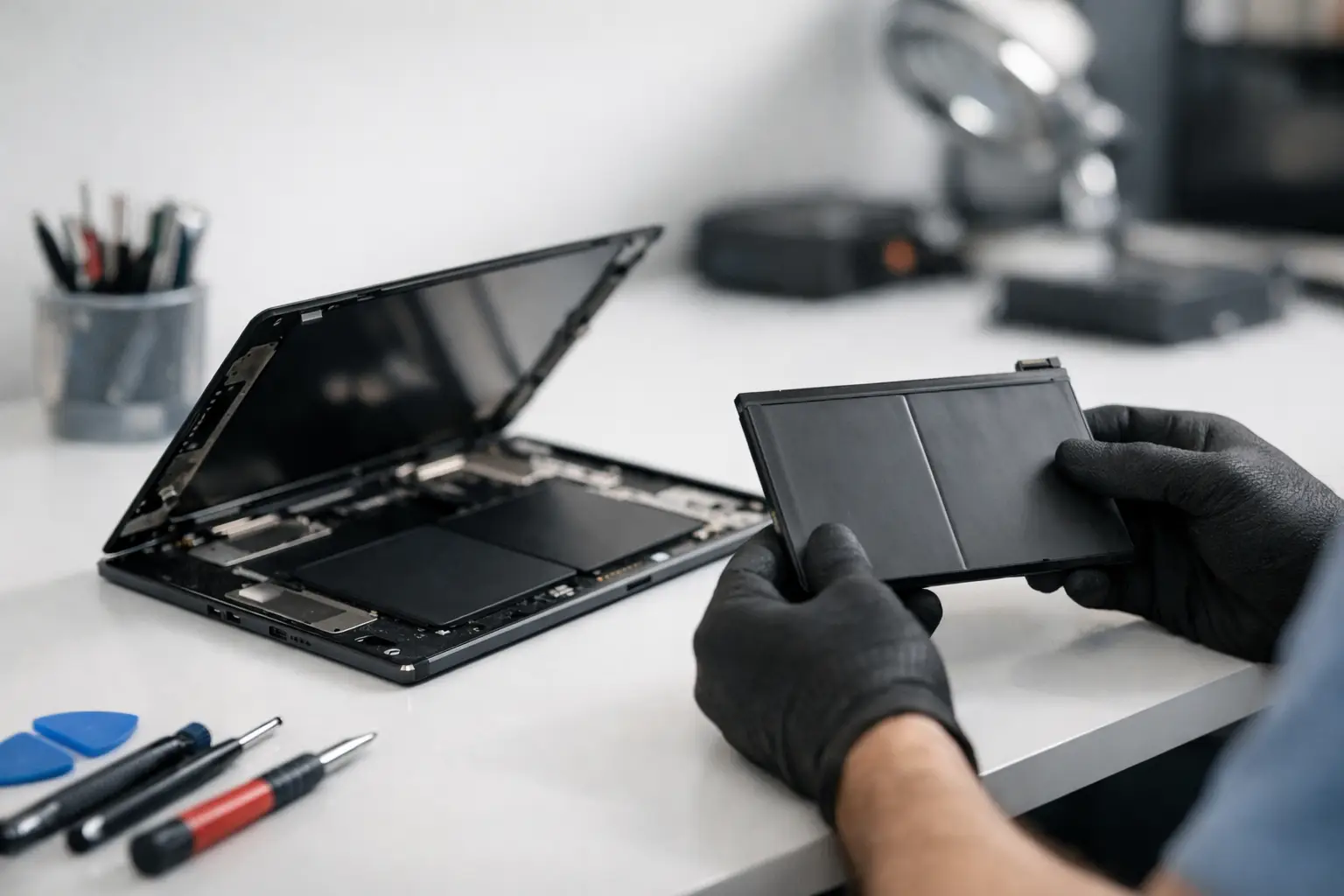
A tablet that drops from 40% to 5%, needs charging twice a day, or switches off during a video call is not just inconvenient. It can interrupt schoolwork, customer appointments, travel plans and everyday administration. A professional tablet battery replacement service can restore dependable use without the cost and hassle of replacing a device that is otherwise working well.
The right answer is not always a new battery. Some power problems are caused by charging ports, damaged cables, software activity or an ageing tablet that can no longer support newer apps efficiently. That is why a proper diagnosis matters before any repair begins.
Signs your tablet battery needs attention
Battery capacity reduces gradually with every charging cycle. You may not notice the change at first, but the pattern eventually becomes clear: your tablet spends more time connected to a charger than in your hands. Fast battery drain is the most familiar sign, especially if the device used to last through a full working day or several evenings of casual use.
Unexpected shutdowns are another warning. If the tablet turns off while it still shows battery remaining, the battery may no longer be delivering stable power. A percentage display that jumps up or down, overheating during light tasks, or very slow charging can point to the same issue. These symptoms do not prove that the battery is at fault, but they are good reasons to have the device checked.
Physical changes need more urgent attention. A lifting screen, separated back cover, unusual pressure around the edges or a tablet that no longer lies flat may indicate a swollen battery. Stop using and charging it where possible. Do not press the screen or try to force the case closed. A swollen lithium battery should be assessed by a technician promptly.
When a battery replacement is worth it
Replacing the battery usually makes sense when the tablet still does what you need. A clear display, responsive touchscreen, adequate storage and support for the apps you use are all good signs that repair offers value. This is common with tablets used for streaming, reading, homework, point-of-sale tasks, delivery work and family use. A new battery can give an otherwise dependable device a useful second life.
It depends on the wider condition of the tablet. If it has severe screen damage, repeated charging faults, water damage and software limitations, putting money into a battery alone may not be the best route. A straightforward assessment helps you compare the repair cost with the likely benefit, rather than guessing.
For businesses, the calculation includes downtime. A member of staff without access to a work tablet may lose access to job sheets, stock systems, digital forms or customer information. Repairing a battery can be more cost-effective than buying and setting up a replacement device, particularly when several tablets are used across a team.
What a tablet battery replacement service should include
A battery repair should begin with diagnostics, not assumptions. The technician checks whether the device is charging correctly, whether the battery condition matches the reported symptoms and whether there are signs of another fault. A charging-port problem, for example, can look like a dead battery because the tablet is not receiving consistent power.
Once battery replacement is confirmed, the tablet is opened carefully using the correct tools and method for that model. Modern tablets are compact devices. Their screens, flex cables and internal components sit close together, so prising the case open without experience can easily turn a battery problem into a display or motherboard repair.
The old battery is then disconnected and removed safely, followed by installation of a high-quality compatible replacement. The device should be tested for charging, power stability and normal operation before it is returned. Where appropriate, the repair should also be covered by a clear warranty, so you know who to contact if the same issue returns.
At Logiexpert Smartphone Repairs, customers can start with free diagnostics and clear advice on the most sensible repair. If we cannot fix it, you do not pay. That approach is especially useful when battery symptoms could have more than one cause.
Why cheap battery repairs can cost more later
It is understandable to compare prices, particularly when a tablet is a few years old. But the lowest quote does not always represent the best value. Low-grade batteries can have reduced capacity, unstable performance or a short working life. Poor fitting can affect the screen seal, charging connection or back cover, leaving the tablet vulnerable to further damage.
Quality also matters for safety. Batteries should be handled, fitted and disposed of correctly. A repairer should be able to explain what is included, whether the battery is appropriate for your model and what warranty applies. You do not need a technical lecture, but you should not be left uncertain about the work being carried out.
A fair repair price combines the correct part, skilled labour, testing and accountability. That is often a better outcome than saving a small amount now and needing another repair shortly afterwards.
Before you bring in your tablet
If the tablet still powers on, back up important photos, files and app data first. Battery replacement does not normally require a reset, but any electronic repair carries some risk, and a recent backup protects what matters. If you use a business tablet, make sure another team member can access essential accounts or information while it is being repaired.
Bring the charging cable if charging behaviour is part of the problem. A faulty cable or plug can be identified quickly and may save you from paying for unnecessary work. If the tablet has been dropped, exposed to water or already repaired elsewhere, mention that too. These details help the technician investigate the full picture.
For a swollen tablet, avoid charging it before your visit. Keep it away from heat, direct sunlight and flammable materials, and transport it carefully without placing heavy items on it. Safety takes priority over trying to get a few more minutes of use.
Getting more life from a replacement battery
A new battery does not need complicated rituals, but a few everyday habits can help it last. Use a reliable charger suited to the device, keep the charging port free from compacted dust and avoid leaving the tablet in a hot car or on a radiator. Heat is particularly hard on battery health.
There is no need to drain the battery to zero before every charge. In fact, frequent deep discharge can add strain. Charging when convenient and avoiding prolonged overheating is usually more useful than chasing a perfect charging percentage. If the tablet will not be used for several weeks, switch it off and store it with some charge rather than leaving it empty.
Software can affect battery life as well. Keeping the operating system and apps updated may improve efficiency, while removing unused apps can reduce background activity. If battery drain begins again soon after an update or new app installation, ask for advice before assuming the replacement battery has failed.
A practical repair decision
A tablet does not have to be brand new to be valuable. If it still handles the tasks you rely on, a battery repair can be an affordable way to keep it useful, reduce disruption and avoid unnecessary replacement. The key is getting an honest diagnosis, a suitable quality part and work backed by experienced technicians.
If your tablet is losing power at the wrong moment, do not wait for it to become unusable. Have the fault checked while the device can still be tested properly, and choose the repair that keeps your day moving.
Lascia un commento