
Your phone shows 3% just as you need to leave for work, collect the children or approve a banking payment. Common smartphone charging port problems often look minor at first: the cable only works at one angle, charging cuts in and out, or the plug no longer clicks firmly into place. Left alone, a simple blockage or worn connector can turn into a phone that will not charge at all.
The good news is that not every charging fault needs a replacement part. A careful check can separate a cable issue from a blocked port, battery problem or internal charging fault. The key is knowing what you can safely try at home and when to stop before causing further damage.
Common smartphone charging port problems and their causes
The charging cable feels loose
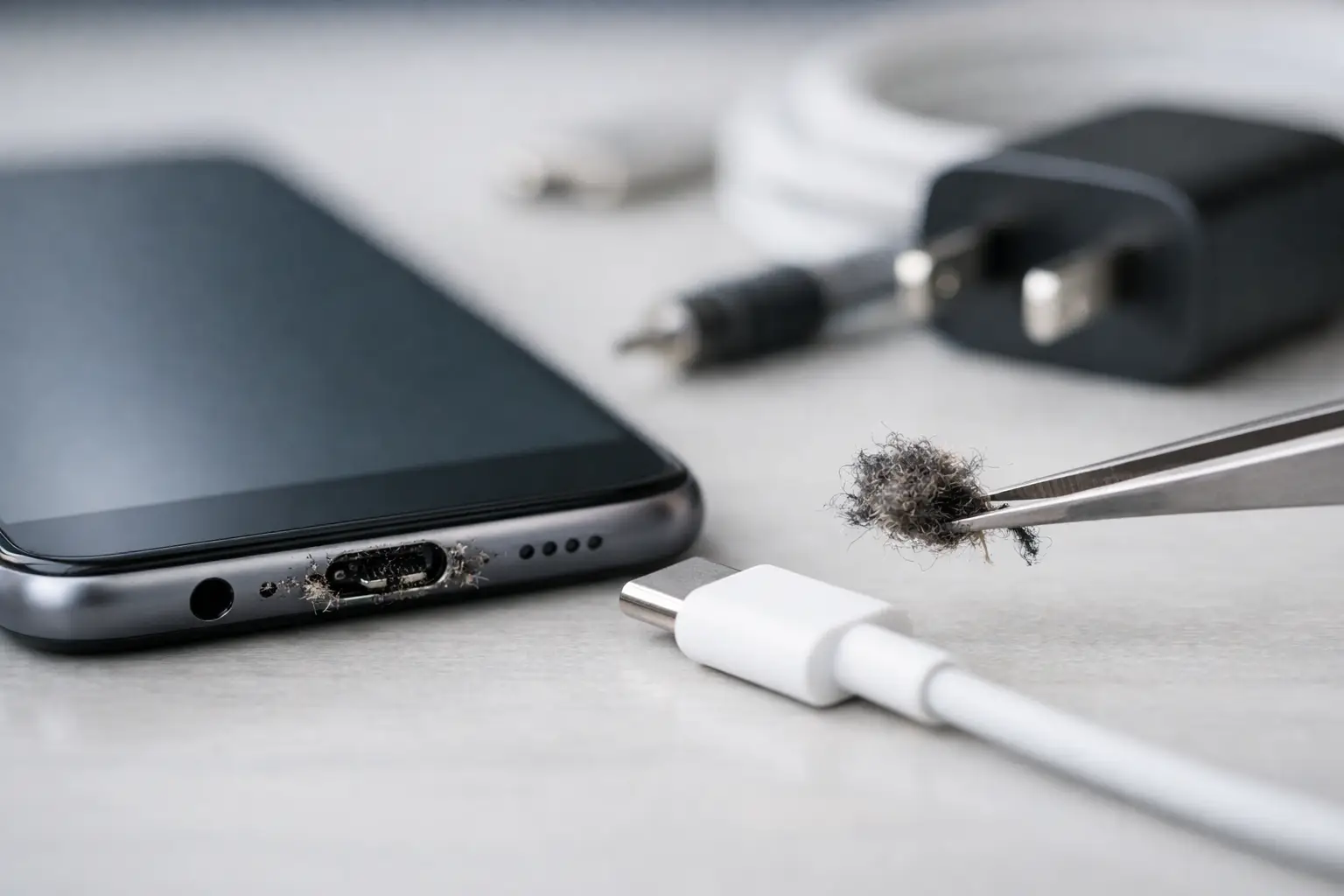
A loose cable is one of the most familiar signs. Many people assume the port is broken, but compacted pocket fluff is often the real cause. Each time a phone goes into a pocket, bag or coat, tiny fibres can collect at the bottom of the port. Over time, the charging plug cannot fully reach the connector pins, so it feels loose and disconnects with the slightest movement.
Look into the port in good light. If you can see debris, do not force the cable in harder. That can compact the dirt further or bend the delicate contacts inside. A technician can remove built-up debris safely during a diagnostic check. This is usually far quicker and more affordable than replacing a port that was never faulty.
If the port looks clean but every suitable cable still wiggles, internal wear may be the issue. Repeated plugging, pulling the cable sideways, or using a phone while it hangs from a charger can loosen the connector assembly over time.
Your phone charges only at a certain angle
Needing to position a cable precisely is not normal. It can point to debris, worn contact points in the cable, or a damaged charging port. Start by testing a known-good cable and mains adaptor. Cables can fail internally while their outer covering still looks perfectly fine.
If a second cable behaves in exactly the same way, the port is more likely to be the source. Do not keep bending or twisting the plug to find a charging position. This puts pressure on the port and may damage the internal connection to the phone’s charging board.
Charging starts and stops repeatedly
An intermittent charge can be frustrating because the battery icon suggests everything is fine, then the phone has barely gained any power an hour later. A worn cable or adaptor is a common cause, especially with low-cost or heavily used accessories. Try another compatible, quality charger before assuming the handset needs repair.
However, repeated connecting and disconnecting can also be caused by dirt in the port, corrosion after moisture exposure, or damaged connector pins. Some phones will pause charging if they detect moisture or an unsafe connection. If a moisture warning appears, unplug the cable immediately and allow the device to dry naturally in a ventilated place. Do not put it in rice, use a hairdryer or insert objects into the port. Heat and loose particles can make the damage worse.
The phone will not charge at all
A completely unresponsive phone does not automatically mean the charging port has failed. The adaptor, lead, wall socket and battery should all be considered. Test another wall socket and a charger that is confirmed to work with a similar device. Leave the phone connected for at least 20 to 30 minutes, as a fully drained battery may take time before the screen responds.
If there is still no sign of life, the issue could be the port, battery, charging circuit or software. A device that has been dropped may have a loose internal connection. A phone that gets unusually hot while plugged in may have a more serious electrical fault. In either case, stop charging it and arrange a professional assessment rather than repeatedly trying different chargers.
The port is wet, rusty or discoloured
Moisture can cause corrosion inside USB-C, Lightning and Micro-USB ports, sometimes days or weeks after the original spill. Green, white or dark marks around the connector are warning signs. Even if the phone appears to work, corrosion can continue to affect the contacts and create unreliable charging.
Do not scrape at discolouration with a pin, paper clip or metal tool. The contacts are small and easily damaged, and metal tools can cause a short circuit if the device still has power. A repair technician can inspect the port properly and determine whether cleaning is enough or whether the component needs replacing.
Safe checks before booking a charging-port repair
There are a few sensible checks that can save time and prevent an unnecessary repair. Use the original cable and adaptor if available, or a reputable compatible alternative. Inspect the cable for splits, bent plugs, exposed wiring and black marks. A damaged cable should be replaced, not taped up and reused.
Remove a thick phone case if it prevents the cable from sitting fully in the port. Restart the device too. Although less common, a software glitch can occasionally affect charging recognition or the battery display.
For light, visible dust only, switch the phone off and use a dry, soft brush around the opening. Avoid liquids, cleaning sprays, cotton buds and compressed air. Compressed air can push lint deeper into the port, while moisture-based cleaners can leave residue where it does not belong.
Wireless charging can be a useful test for phones that support it. If wireless charging works but wired charging does not, the battery may still be healthy and the fault may be limited to the cable, port or lower charging assembly. It is a helpful clue, not a final diagnosis.
When a charging-port replacement is the sensible option
A replacement is usually worth considering when the port has bent or missing pins, obvious corrosion, physical damage after a drop, or a persistent loose connection that remains after professional cleaning. It may also be needed where charging works only at an angle or constantly disconnects with multiple tested chargers.
The right repair depends on the device. On some models, the charging port sits on a separate lower board and can be replaced efficiently. On others, it is more closely integrated with the main board, making the work more involved. This is why a proper diagnosis matters before agreeing to any repair cost.
There can also be related faults. A weak battery may charge slowly even when the port is in good condition, while a damaged charging circuit may prevent charging after a liquid incident. Replacing the port without checking these possibilities can waste money and leave the original problem unresolved.
Protect your charging port after repair
Once charging is reliable again, small habits make a real difference. Pull the plug out by its connector rather than yanking the cable. Avoid using the phone heavily while it is connected, particularly if the cable is under strain. Keep the port away from sand, crumbs and damp pockets, and do not charge the device when the connector is wet.
Choose well-made cables that fit correctly. A charger does not need to be the most expensive option, but it should be compatible with your phone and in good condition. Replace cables that become loose, damaged or unreliable rather than waiting for them to affect the port itself.
For customers in Maarssen who need a clear answer quickly, Logiexpert Smartphone Repairs can inspect charging faults, explain the likely cause and advise whether cleaning, repair or another solution is the best value. If we cannot fix it, you do not pay.
A charging problem is easiest to solve when it is dealt with early. If your cable has started slipping, the phone only charges at an angle, or a moisture warning keeps returning, arrange a check before a small inconvenience becomes a completely flat phone at the worst possible moment.
Lascia un commento