
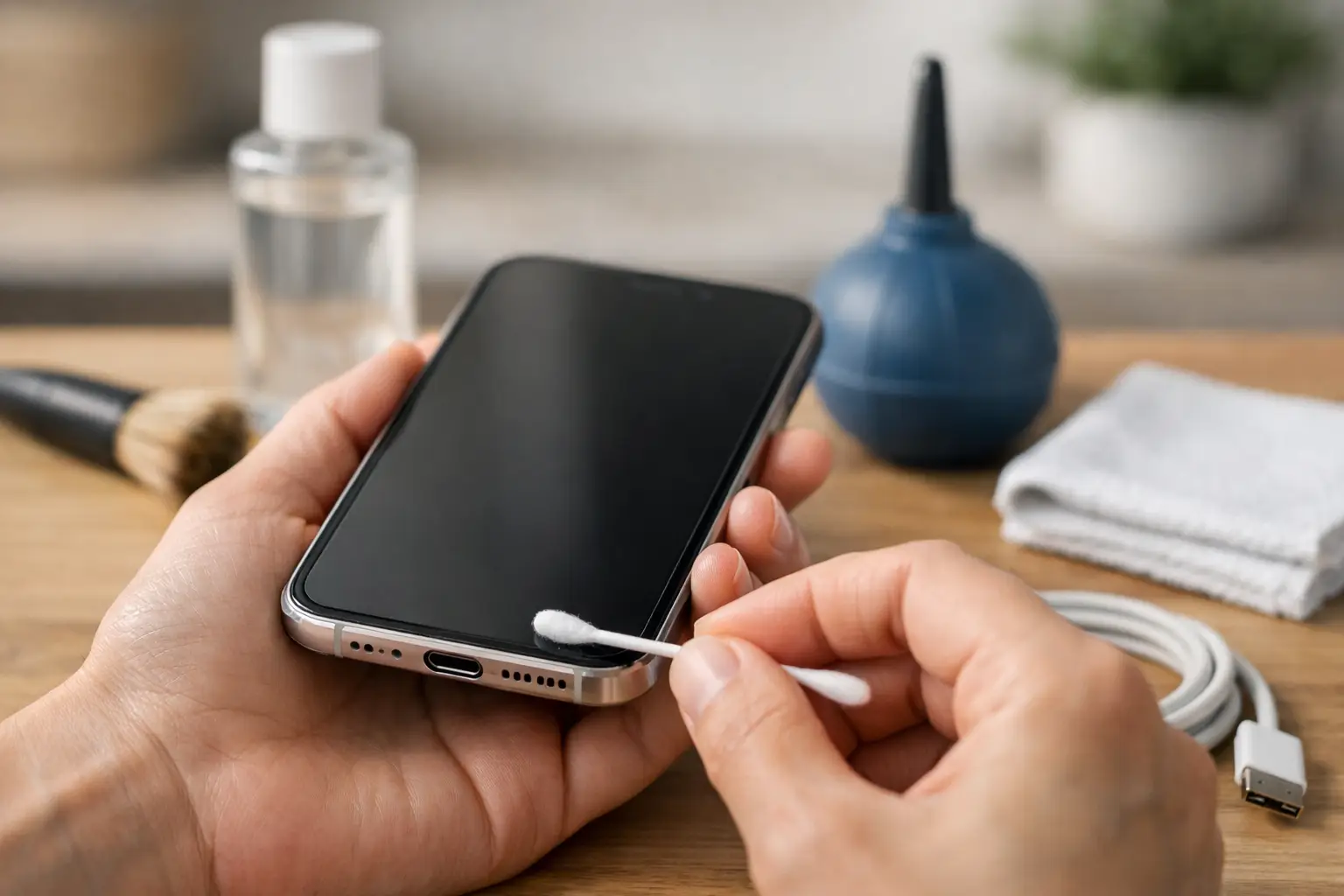
A cable that used to click firmly into place but now falls out, charges only at an angle, or disconnects when the phone moves is often dealing with one simple problem: compacted pocket lint. Searches for “how to clean charging port” are common for good reason. Your phone spends hours in pockets, bags and cars, where dust and fibres gradually collect inside the connector.
Cleaning can restore a reliable connection, but the charging port contains small, delicate contacts. A rushed attempt with the wrong tool can bend a pin, push debris deeper inside or create a repair that was not needed in the first place. The aim is to remove loose debris gently, not to scrape the port clean by force.
First, check whether the charging port is the issue
Before cleaning anything, try a second charging cable and plug. Cables wear out, particularly near the connector, and a damaged cable can look very much like a port problem. Also check whether the plug is fully inserted. If it stops short of its usual position or feels loose, debris is likely.
Look at the port using a bright torch or phone light. You may see a layer of grey lint at the bottom. Do not be concerned if you cannot see much. Fine debris can still prevent the connector from reaching the contacts properly.
If your device shows a moisture warning, has recently been dropped, or the port looks green, blackened or bent, do not clean it at home. Moisture residue and physical damage need a proper inspection. Plugging in a charger repeatedly can make corrosion or contact damage worse.
What you need to clean a charging port safely
Keep the process simple. Switch the device off completely and remove the charging cable. A wooden toothpick, a non-metal plastic pick or a small soft anti-static brush are suitable tools. You will also need a strong light and a clean, dry workspace.
Avoid needles, paper clips, pins, tweezers and other metal objects. Modern USB-C ports have a central tongue with fine contacts on both sides, while Lightning and Micro USB ports also contain easily damaged connection points. Metal can scratch, bend or short these parts.
Do not pour water, cleaning spray, alcohol or contact cleaner into the port. Even products marketed for electronics can cause problems if used incorrectly or if residue remains behind. Compressed air is not always the best first choice either: a strong blast can force lint further into the port or introduce condensation. Gentle manual removal gives you more control.
A note on toothpicks
A standard wooden toothpick is usually soft enough for careful work, but its tip should not be sharp. If necessary, blunt it slightly first. The tool should lift debris out, not dig into the connector.
How to clean a charging port step by step
Start by holding the switched-off phone so the port faces downwards. This helps loosened debris fall out rather than settle deeper inside. Shine your light into the opening and identify where the lint is sitting.
Insert the wooden or plastic tool only a short distance and work slowly around the inside edges. With USB-C, avoid pressing hard against the central connector. Use light upward strokes to pull lint towards the opening. You may be surprised by how much compacted material comes out, especially if the device has been carried in pockets for months.
Pause regularly and tap the phone gently against your palm with the port facing down. If you are using a soft brush, use light strokes at the opening rather than pushing the brush deep into the port. Patience matters more than pressure.
Once no further debris is coming out, inspect the port again under the light. It does not need to look brand new. It simply needs to be clear enough for the cable to sit fully and securely. Turn the phone back on, connect a known-working charger and check that it begins charging without needing to hold the cable in a particular position.
Do not force the cable in to test it. If it still will not seat properly, stop. There may be a remaining obstruction or a damaged component that cleaning cannot solve.
Why a phone may still not charge after cleaning
Lint is common, but it is not the only cause. If the port looks clean and charging remains unreliable, the fault could be in the cable, plug, charging adaptor, battery, software or the charging port itself. A phone that charges from one cable but not another usually points to an accessory issue rather than the device.
Intermittent charging after a drop can indicate a loose or damaged port. A port that feels unusually hot, gives off a burning smell, shows discolouration, or only works after repeated reconnecting should be checked by a technician. These signs are not a cleaning job.
The same applies if your phone charges very slowly. Debris can prevent a good connection, but slow charging can also result from a low-power adaptor, a worn battery, background activity or a charging-management setting. Cleaning the port may help, but it is not a guaranteed answer.
USB-C, Lightning and Micro USB need different care
The basic approach is the same for most phones and tablets, but the connector design changes the risk. USB-C ports are especially easy to damage if the central tongue is scraped or bent. Lightning ports can collect dense lint along their inner base. Older Micro USB ports may become loose through normal wear, and forcing a cable into a loose port can damage it further.
If you own several devices at home or manage work phones, test with the correct original or high-quality cable for each one. A USB-C plug may fit in a port even when the cable itself is faulty, so a firm fit alone does not prove it is charging correctly.
When to stop and book a repair
Home cleaning is sensible when you can clearly see dry lint and the port otherwise looks undamaged. Stop immediately if you see a bent pin, broken plastic, corrosion, moisture, scorch marks or a loose internal connector. Do not try to straighten contacts yourself.
A professional diagnosis is also the better option when a device has important data, is needed for work, or has stopped charging entirely. The cost of a charging-port repair is usually far less than the disruption caused by a phone that cannot receive calls, approve banking payments or provide access to work systems.
At Logiexpert Smartphone Repairs, technicians can inspect charging faults across major phone and tablet brands, identify whether the issue is debris, a worn port or another component, and explain the practical repair options. Free diagnostics and a no-fix-no-pay approach mean you can get a clear answer before committing to unnecessary work.
Keep the port cleaner for longer
There is no need to clean a charging port routinely if it is working well. Frequent probing can create wear of its own. Instead, make it a habit to check the cable fit whenever charging starts to feel less secure.
Keeping your phone out of lint-heavy pockets, using a case with a port cover where practical, and avoiding charging in dusty areas can all reduce build-up. Inspect your cable connector too. Dirt on the plug transfers straight back into the port.
A clean port should allow your charger to sit firmly, charge consistently and come out without a struggle. If gentle cleaning does not bring that back, protecting the device with a proper repair is the sensible next step.
Lascia un commento