
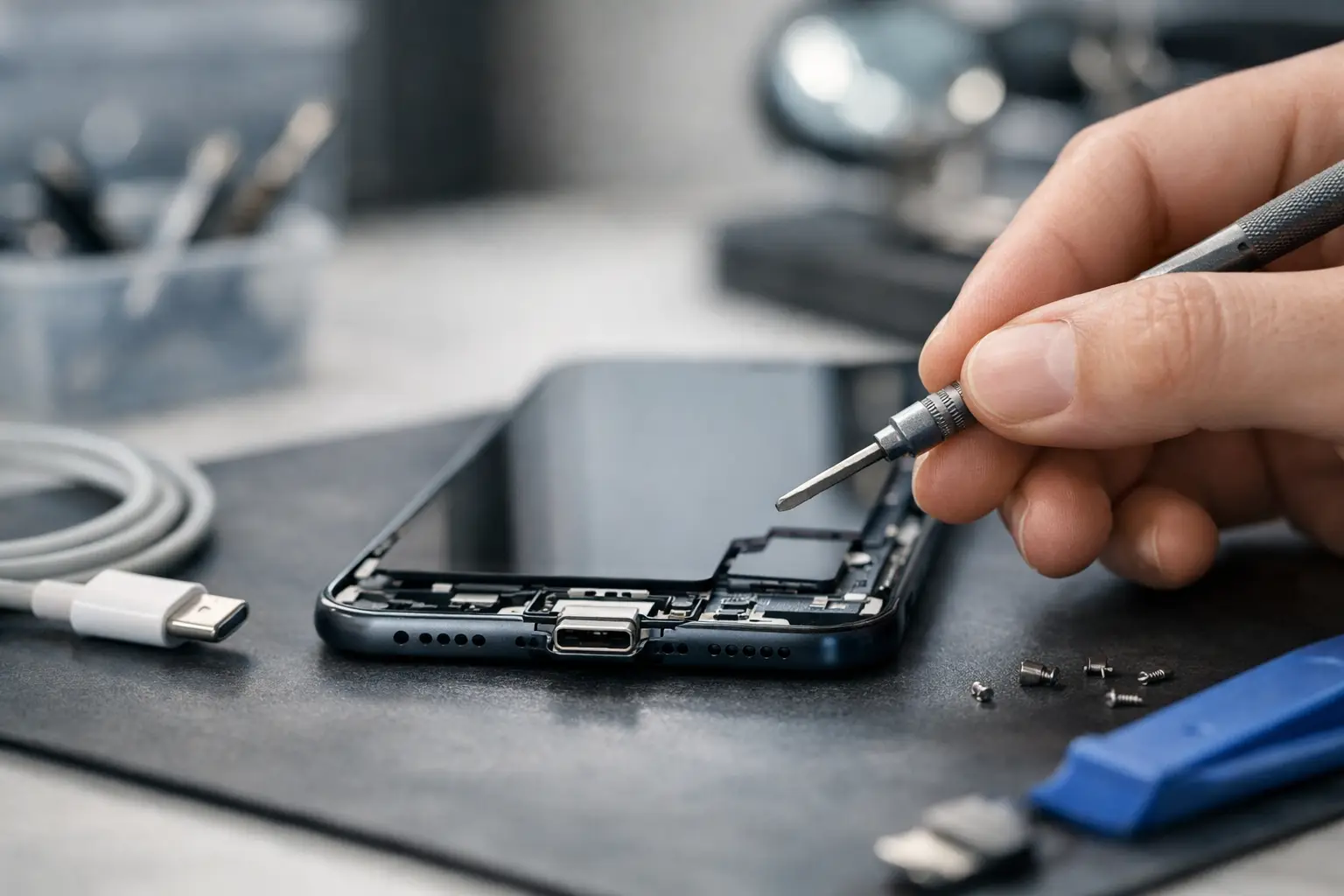
Your phone only charges when the cable is held at a certain angle. It disconnects on the bedside table, takes all night to reach 50%, or refuses to recognise a charger you know works. At that point, many people ask: is charging port repair worthwhile, or is it time to replace the whole device?
For most modern smartphones and tablets, repairing a charging port is worthwhile when the device is otherwise reliable and still meets your needs. A port fault can make a perfectly usable phone feel unusable, particularly when you rely on it for work calls, banking, travel, school or family contact. The right decision depends on the real cause of the fault, the age and value of the device, and whether other repairs are likely soon.
Is charging port repair worthwhile? Start with the cause
Not every charging problem means the port needs replacing. A damaged cable, worn plug, weak adaptor or software fault can look very similar to a port failure. This is why a proper diagnosis should come before a quote for replacement.
One of the most common causes is compacted pocket lint. Over time, dust and fabric fibres collect inside the charging socket. The charging cable may still fit, but it cannot click fully into place or make a stable connection. The result is intermittent charging, a loose-feeling cable, or charging that stops when the phone moves slightly. Professional cleaning can often solve this without replacing any parts.
A port is more likely to need repair when its internal contacts are bent, worn or corroded. This can happen after frequent use, pulling the cable sideways, a drop while the cable is connected, or exposure to moisture. USB-C, Lightning and older Micro-USB ports all have small, precise contact points. Once these are physically damaged, cleaning alone is unlikely to provide a lasting answer.
A technician should also check whether the issue lies beyond the socket. Battery wear, charging circuitry faults and liquid damage can prevent normal charging even when the port appears clean. Replacing a port without identifying the underlying fault can waste both time and money.
When repair is usually the sensible option
Charging-port repair tends to offer good value when your phone is a recent or mid-range model with a healthy screen, camera, battery and operating system. Replacing one worn component is usually far more affordable than buying a comparable new handset, especially if the device has enough storage and receives security updates.
It is also a practical choice when the phone contains data you need quickly. A repair can restore access to authenticator apps, photos, messages, work files and contacts without the disruption of setting up a replacement device. Even with cloud backups, moving to another phone takes time, and some banking or business apps require additional verification.
For businesses, the calculation is often even clearer. A charging fault can leave an employee without their work phone at the worst possible time. Repairing a familiar device can reduce downtime and avoid the hidden cost of transferring settings, mobile-device management and company applications to a replacement handset.
Repair is particularly worthwhile if the problem is limited to the port and the device still performs well. A good repair should restore a firm cable connection and consistent charging, rather than merely offering a short-term workaround.
Signs that point to a charging-port fault
A loose cable is not proof on its own, but certain patterns are strong indicators. The device may charge only when the connector is held in one position, stop charging with small movements, fail to connect to a computer, or show repeated charging and disconnecting notifications. Visible debris, corrosion or damage inside the socket are also clear warning signs.
If wireless charging still works but a wired cable does not, the port may be the problem. However, this should still be tested alongside known-good cables and adaptors. Wireless charging is useful as a temporary option, but it is often slower and does not repair the underlying fault.
When replacement may make more sense
There are occasions when a charging-port repair is not the best investment. If an older phone already has a failing battery, a cracked display, very limited storage and no longer receives important software updates, several repairs can add up quickly. In that situation, putting money towards a newer device may be the more sensible route.
The condition of the main board matters too. Severe liquid damage can affect several components at once, including the charging system, microphones, display and battery connection. A port repair may still be possible, but a diagnostic assessment is essential because the final outcome can be less predictable than with ordinary wear damage.
Consider how long you realistically plan to keep the phone. If you intend to upgrade in a few months, a professional cleaning or a lower-cost solution may be enough. If you expect to use the device for another year or two, a reliable port repair can extend its life significantly.
Price should not be judged in isolation. Compare the repair cost with the price of a replacement that genuinely matches your current phone’s quality, camera, storage and performance. A very cheap new handset may be less convenient than repairing the phone you already know and use every day.
What a professional charging-port repair involves
The work required varies by model. On many Android phones, the charging port sits on a separate lower board that can be replaced. On others, and on certain tablets and iPhones, the port may be connected through a more complex assembly. The technician needs to open the device safely, disconnect the battery, inspect for moisture or other damage, fit the correct part and test charging before returning it.
Testing matters as much as fitting the part. A reliable repair should check cable charging, charging stability, data connection where relevant, microphone operation and the fit of the connector. The device should also be reassembled carefully so that screens, back covers and seals are not compromised.
Be cautious with DIY repairs. It is tempting to push a pin, paperclip or sharp object into the socket, but this can bend the contacts or create a short circuit. Compressed air can also force debris further inside. If cleaning is needed, it should be done with suitable tools and a clear view of the port.
How to protect the repaired port
Once the issue is resolved, a few habits can help the repair last. Use a good-quality cable that fits securely, and replace it when the connector becomes bent or loose. Avoid charging with the cable under tension, such as when the phone is hanging from a short lead beside the bed or in a car.
Keep the phone out of damp pockets and away from spills. Even water-resistant models are not immune to corrosion in the charging socket. If your device becomes wet, do not immediately connect it to power. Switch it off if possible, dry the exterior, and have it assessed if it shows charging warnings or behaves unusually.
It also helps to remove lint before it becomes tightly packed. A technician can safely clean the socket during a check-up if the cable no longer clicks in as it should. Small preventative steps are cheaper than waiting until a port is damaged.
Get a clear answer before you decide
The most useful question is not simply whether a charging port can be repaired. It is whether the repair will give you a dependable device for a worthwhile period of time. That answer requires an honest check of the port, battery, charging system and overall condition of the phone.
Logiexpert Smartphone Repairs provides free diagnostics, so you can understand the fault before committing to a repair. If the port only needs cleaning, replacing parts may not be necessary. If a replacement is the right solution, expert fitting and quality parts can restore the device without the cost and inconvenience of buying another phone. And if it cannot be fixed, you do not pay.
A phone that will not charge properly is more than an annoyance – it can interrupt your entire day. Have the fault checked early, while the solution may still be as straightforward as a clean, secure connection.
Lascia un commento