
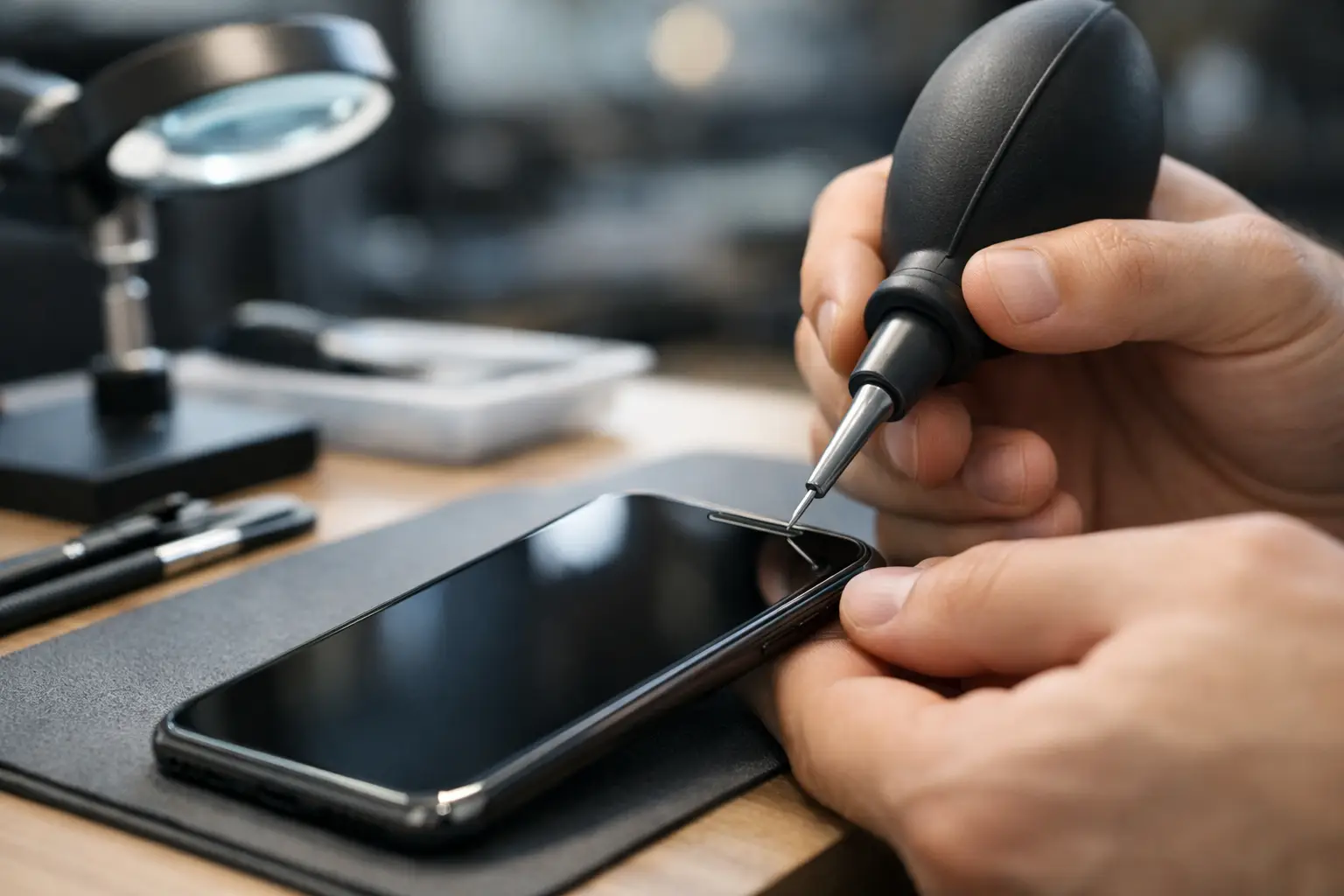
Your phone may look perfectly clean while sounding as though every call is coming through a pillow. If voices are quiet, music lacks volume or the ringtone is hard to hear, a phone speaker cleaning service can remove compacted dust and debris from the fine speaker grilles without putting the device at risk. It is a small issue that can make a major difference when you rely on your phone for work, family, banking, navigation and everyday messages.
Why phone speakers become quiet
The openings around a phone’s earpiece and bottom loudspeaker are extremely small. They collect pocket lint, skin oils, make-up residue, dust and moisture over time. A protective case can also trap debris around the lower speaker area. Even when the speaker itself is working correctly, a blocked grille limits how much sound can travel out.
This is especially common on phones carried in a trouser pocket, handbag or work bag every day. It can affect iPhones, Samsung Galaxy devices, Google Pixel phones and models from Xiaomi, Huawei, Oppo, OnePlus and other brands. The problem is not limited to older devices either. A newer handset can sound muffled after only a few months in a dusty workplace, during frequent travel or after exposure to rain.
A blocked earpiece usually affects calls held to your ear. A blocked lower loudspeaker is more noticeable on speakerphone, video calls, alarms, music and incoming calls. Knowing which sound is affected helps a technician check the right area quickly.
Signs you may need a phone speaker cleaning service
Reduced volume is the most obvious symptom, but it is not the only one. Cleaning is worth considering when your phone has one or more of these issues:
- Calls sound muffled even after you increase the volume.
- Music, videos and ringtones are noticeably quieter than before.
- Sound cuts in and out when the phone is moved or placed on a table.
- The speaker grille looks dark, blocked or filled with lint.
- Bluetooth headphones sound normal, but the phone’s own speaker does not.
Before booking a repair, check that the volume is turned up and that your phone is not connected to Bluetooth headphones, a car system or another audio device. It is also sensible to restart the handset and test more than one app. If the issue is present during calls, alarms and media playback, it is less likely to be a single app setting.
Cleaning or repair: what is the difference?
A professional clean is appropriate when dirt is blocking the path of sound and the speaker component still works. The technician carefully clears the grille and surrounding openings, then tests the audio again. In many cases, this restores clear sound without replacing a part.
However, cleaning cannot repair a damaged speaker. A drop, water exposure, previous poor-quality repair, internal corrosion or a failed component can all cause weak, distorted or silent audio. In those cases, replacing the loudspeaker or earpiece may be the right solution.
This is why a proper diagnosis matters. The same symptom – a quiet phone – can have very different causes. A reliable repair service should not recommend a replacement simply because the device sounds muffled. It should first establish whether cleaning, software checks or a component repair will solve the problem.
Why home cleaning can cause more damage
It is tempting to use a pin, paperclip, toothpick or compressed-air canister. These methods can cause more trouble than they solve. Speaker mesh is delicate, and pushing too hard can puncture it, force debris further inside or damage the speaker beneath. Liquids and cleaning sprays are also risky, particularly if they seep into an opening that is no longer fully sealed.
A soft brush can sometimes remove loose surface dust, but it will not always shift packed-in residue. Avoid inserting anything sharp into the grille, and never pour water or alcohol directly onto your device. High-pressure air can move moisture and dust deeper into the phone rather than lifting it away.
There is another consideration: modern smartphones contain more than just a speaker behind their openings. Depending on the model, there may be microphones, water-resistance seals, sensors and fine protective meshes nearby. A quick DIY attempt can turn a straightforward clean into a larger repair.
What happens during professional speaker cleaning?
A good service starts by checking the symptoms, not by making assumptions. The technician tests the earpiece, lower loudspeaker, microphone and relevant settings to identify whether the problem is physical, software-related or internal.
The speaker grille is then cleaned using suitable tools and controlled techniques. The goal is to remove debris without damaging the mesh, seals or components behind it. Once the area is clear, the phone is tested again for call clarity, media volume and speakerphone performance.
If the sound remains poor after cleaning, you should be told what the next step is and what it will cost before any repair goes ahead. On some devices, the speaker can be replaced quickly. On others, opening the handset takes more care because of the screen construction, back cover, battery placement or water-resistance adhesive. The right approach depends on the model and the actual fault.
When cleaning will not solve the problem
A speaker that crackles, produces no sound at all or became faulty immediately after being dropped may have an internal hardware issue. Likewise, a phone exposed to water can develop corrosion even if it still switches on normally. Sound problems after a software update may require settings checks, an update or a reset rather than physical cleaning.
Poor call audio can also be confused with a microphone fault. If other people cannot hear you clearly, the issue may be the microphone opening or microphone component, not the earpiece speaker. A quick diagnostic check prevents time and money being spent on the wrong repair.
For business phones, this distinction is particularly useful. A quiet speaker on one device may be a cleaning issue, while repeated audio faults across several handsets may point to working conditions, unsuitable cases or moisture exposure. Addressing the cause can reduce repeat downtime for your team.
Protecting clear sound after the service
Once the speaker is clear, a few simple habits can help keep it that way. Remove the case occasionally and wipe away loose lint around the charging port and speaker openings with a clean, dry, soft brush. Keep the phone away from loose dust in bags and pockets where possible, and do not use it near water unless it is genuinely necessary.
Water resistance is not permanent. Adhesives and seals can weaken through everyday wear, drops and previous repairs, so it is best not to treat a water-resistant phone as waterproof. If your device has been wet and the sound becomes dull, arrange a check promptly instead of repeatedly raising the volume. Continued use at maximum volume can make distortion more noticeable and may hide a fault that needs attention.
Clear audio should not be a daily compromise
A quiet phone is easy to put up with for a while, until you miss a call from work, cannot hear directions while travelling or struggle to speak to a relative. Logiexpert Smartphone Repairs can inspect the issue, clean blocked speaker areas where appropriate and explain clearly if a repair is needed instead. With free diagnostics and a no-fix-no-pay approach, you can get a practical answer before committing to unnecessary work.
If your phone is sounding softer than it used to, do not keep compensating by turning the volume up. A careful check now can restore the sound you depend on and help prevent a small blockage becoming a more frustrating problem.
Lascia un commento