
Your phone reaches 20%, then switches itself off while you are paying for parking, joining a work call or checking a route. That is more than an inconvenience. It is one of the clearest signs phone battery needs replacement. Batteries wear down gradually, so the change can be easy to dismiss until your device is no longer dependable when you need it most.
A battery replacement is often a practical, affordable way to extend the life of a phone that otherwise works well. The key is knowing the difference between normal battery use, a software issue and a worn battery that needs professional attention.
1. Your phone runs flat much faster than it used to
Every rechargeable phone battery loses capacity over time. When it was new, your phone may have lasted from breakfast to bedtime with ordinary use. If it now needs charging before lunch, despite the same habits, the battery may no longer be holding enough power.
Look at the pattern rather than one unusually busy day. Streaming video, gaming, mobile data in a poor-signal area and navigation can drain any battery quickly. But if simple tasks such as messaging, browsing or checking emails leave you searching for a charger, battery wear is a likely cause.
This is particularly common on phones used for two or more years. Heavy daily charging, heat and frequent fast charging can make the decline more noticeable, although careful users will still see batteries age eventually.
2. The battery percentage jumps or drops unexpectedly
A healthy phone should show a fairly steady drop in charge. A worn battery can make the percentage unreliable. It may stay at 40% for a long time, fall from 25% to 5% within minutes, or appear to gain several percentage points after a restart.
This happens because the battery can no longer deliver power consistently. The phone estimates the remaining charge, but that estimate becomes less accurate when the battery cells are degraded.
Try restarting the device and installing any available software updates first. If the problem continues over several charging cycles, it is worth arranging a diagnosis. A technician can check whether the battery is at fault or whether another issue, such as charging-port damage or software behaviour, is affecting the reading.
3. Your phone shuts down before it reaches 0%
An unexpected shutdown at 15%, 20% or even 30% is a strong warning sign. The phone may show charge remaining, but the battery cannot provide enough voltage when the device needs a brief burst of power. This often happens when opening the camera, making a video call or using an app that demands more from the processor.
Cold weather can make a weak battery perform even worse. If shutdowns occur only outdoors on very cold days, the battery may still have some life left. If they happen regularly indoors at normal temperatures, replacement is usually the sensible option.
For anyone relying on a phone for work, authentication codes, banking or family contact, this issue should not be ignored. An unreliable shutdown can leave you without access at exactly the wrong moment.
4. Charging takes too long or only works at certain angles
Slow charging does not always mean the battery needs replacing. A damaged cable, unsuitable adaptor, dirty charging port or worn charging connector can cause the same frustration. If the cable must be held at a particular angle, or charging starts and stops when the phone is moved, the port should be inspected.
However, a battery that takes far longer than usual to charge and then drains quickly may be near the end of its useful life. You may also notice that it becomes unusually warm while charging. Do not keep swapping chargers and hoping for the best if the problem persists. A proper diagnosis can prevent you from paying for the wrong repair.
5. Your phone feels hot during ordinary use
Phones can become warm while charging, gaming, filming or using navigation. That is normal up to a point. What is not normal is a device that feels hot when sending messages, sitting idle or performing everyday tasks.
Heat can be linked to apps running in the background, poor network coverage or a software issue. It can also be linked to an ageing battery working harder to deliver power. Check whether the problem improves after closing demanding apps, updating the phone and removing a thick case while charging.
If overheating is frequent, stop using cheap or damaged charging accessories. Avoid charging the phone under a pillow, on a radiator or in direct sunlight. If heat continues, have the device checked rather than risking further damage to the battery or internal components.
6. The back cover or screen is lifting
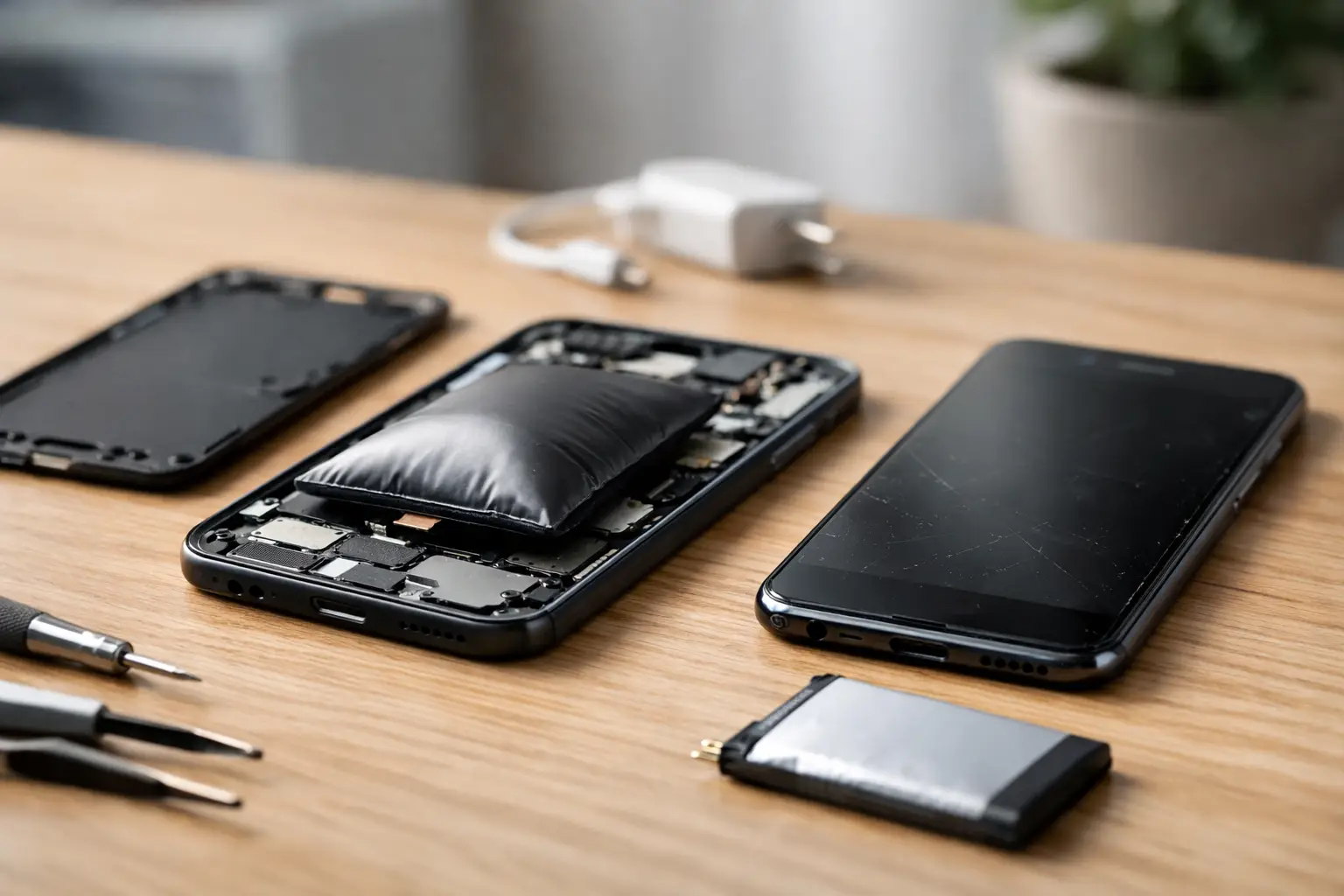
A swollen battery is the most urgent of all the signs your phone battery needs replacement. As a damaged lithium-ion battery expands, it can push against the screen or back cover. You might notice a new gap around the edge, a screen that no longer sits flat, or a phone that rocks slightly on a table.
Do not press the cover back into place, puncture the battery or continue charging the device. Swollen batteries need careful handling. Switch the phone off if possible, keep it away from heat and arrange a professional inspection promptly.
This is not a repair to delay, even if the phone still turns on. Continuing to use a swollen battery can damage the screen, casing and internal connections, turning a straightforward battery job into a more extensive repair.
7. Battery health shows a significantly reduced capacity
Some phones provide battery-health information in their settings. On supported iPhones, for example, you can see the battery’s maximum capacity and whether the system recommends service. Many Android devices offer battery diagnostics through their settings, manufacturer tools or a professional test.
A lower percentage does not automatically mean you must replace the battery tomorrow. How you use the phone matters. Someone who works from home near a charger may be comfortable with reduced capacity, while a delivery driver, student or field worker may need a battery that lasts a full day.
As a general guide, when capacity falls to around 80% or the phone’s performance and reliability are clearly affected, replacement is often better value than replacing an otherwise good device. It reduces daily charging stress and can give the phone a useful second life.
Before booking a replacement, rule out the simple causes
A quick check can save time. Review battery usage in your settings to see whether one app is consuming an unusual amount of power. Update the operating system, restart the phone and test with a known-good cable and adaptor. If storage is almost full or apps are constantly refreshing in the background, improving those issues can help.
Be realistic, though. Settings changes cannot restore worn battery capacity. If the same symptoms return after basic checks, the battery is likely the underlying problem. Free diagnostics are useful here because they separate a battery fault from a charging-port, software or board-level issue.
What a professional battery replacement should provide
A good battery repair is not simply about fitting a new part. The phone should be inspected for signs of swelling, liquid damage, charging faults and screen or frame damage that could affect the result. The replacement battery should be high quality, correctly fitted and tested before the device is returned.
For modern phones, careful opening matters. Screens, seals, flex cables and back covers can be delicate, especially after a drop or previous repair. Choosing an experienced technician protects the rest of the device and gives you a clear route back if a fault is identified during testing.
Logiexpert Smartphone Repairs provides battery checks and replacements for a wide range of phone brands, with quality parts, transparent advice and warranty-backed work. If the fault is not the battery, you should know before paying for a repair that will not solve the problem.
A phone should support your day, not make you plan every journey around the nearest socket. If its charge is unpredictable, it overheats, or its casing is starting to lift, getting it checked now can keep a small problem from becoming a bigger one.
Lascia un commento