
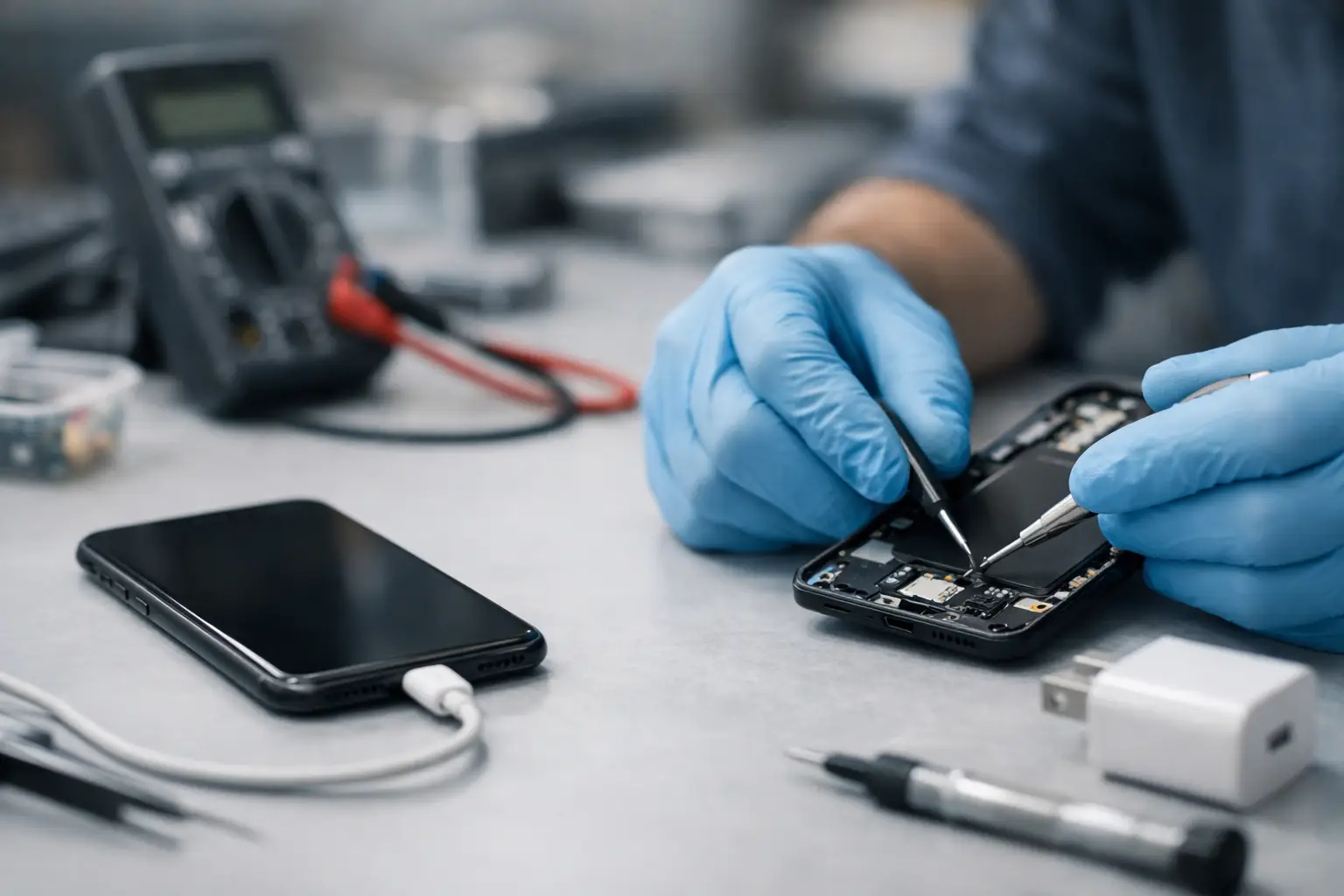
A phone that will not charge is rarely a small inconvenience. It can mean missed work calls, no access to banking apps, lost navigation on the journey home, or a tablet that is unavailable when the children need it for school. Charging repair is about restoring that everyday reliability quickly, without replacing a device that may still have plenty of life left.
The cause is not always the charging port itself. A worn cable, compacted pocket dust, moisture, a failing battery or a software fault can all stop a phone or tablet from taking power properly. The right repair starts with finding the real fault, rather than paying for a part you do not need.
The signs you may need charging repair
Some charging problems are obvious: your device shows no charging symbol at all, even with a known working cable and plug. Others are more gradual. The cable may only work at a certain angle, charging may repeatedly start and stop, or a device may take all night to gain a small percentage of battery.
A loose connection is particularly common. Charging ports collect lint, dust and small fibres from pockets and bags. Over time, this debris prevents the cable from reaching the connector pins fully. The plug may appear to fit, but it cannot make a stable connection.
Heat is another warning sign. It is normal for a phone to become slightly warm while charging, especially with fast charging. However, excessive heat, a burning smell, visible damage around the port or a swollen battery needs immediate attention. Stop charging the device, do not press the cable into place, and arrange a professional assessment.
Check the simple causes first
Before booking a charging-port repair, test the charging set-up with care. Try a different cable and wall adaptor that you know works with another device. Cables often fail internally near the plug, even when their outer coating looks fine. A low-quality adaptor may also deliver inconsistent power or fail to support the charging standard your device needs.
Next, inspect the port in good light. If you can see lint near the bottom, do not use a pin, paperclip or other metal object to dig it out. This can bend the delicate connector pins and turn a cleaning job into a replacement. Avoid liquids and compressed air as well, as both can push debris deeper or introduce moisture.
Restarting the device can help if the issue began after an update, a crash or unusual battery behaviour. Check whether a software update is available once the device has enough power. Still, software is less likely to be the cause when the cable feels loose, the port is visibly damaged or charging only works after moving the plug.
Wireless charging can also provide a useful clue for compatible phones. If wireless charging works but wired charging does not, the battery and main power system may be functioning correctly while the cable, port or charging connector needs attention. It is a helpful indication, not a final diagnosis.
What happens during a professional charging-port repair?
A proper repair begins with diagnosis. An experienced technician checks the cable connection, charging behaviour, battery condition and port assembly before recommending work. This matters because a charging fault can come from several components, and replacing the port will not solve a battery fault or damage on the device’s circuit board.
For many smartphones and tablets, the charging port is part of a replaceable flex cable or charging board. The device is opened carefully, the damaged component is removed, and a high-quality replacement part is fitted. The technician then tests charging, data transfer where relevant, microphone operation and overall device function before returning it.
On some models, the port is soldered directly to the main board. This is more specialised work and may not be the most economical option for every older device. The best choice depends on the device’s age, condition, value and whether there are other issues, such as a weak battery or cracked screen. Clear advice should help you decide whether repair remains worthwhile.
At Logiexpert Smartphone Repairs, diagnostics are free, so you can understand the fault before committing to a repair. If the device cannot be fixed, you do not pay. That is especially useful with intermittent charging issues, where guessing can be expensive and frustrating.
Battery fault or charging-port fault?
The two problems can look similar, but there are differences. A faulty port often causes an unstable physical connection. The cable may fall out easily, require positioning, or stop and start when the phone is moved. A worn battery is more likely to charge normally but drain unusually fast, switch off at a higher percentage, or struggle to hold charge through the day.
Sometimes both parts are nearing the end of their useful life. A device that is several years old may have a port damaged by daily use and a battery that has lost capacity after hundreds of charge cycles. Replacing both can be sensible if it avoids a second repair appointment, but only where testing confirms that both are contributing to the problem.
A battery replacement should use a dependable part and include a clear warranty arrangement. Cheap, poor-quality batteries may bring short-term savings but can lead to inconsistent performance, overheating or another repair sooner than expected.
Why delaying the repair can cost more
A damaged charging port does not usually improve with use. Repeatedly forcing the cable, twisting it to find a connection or relying on an unstable adaptor can damage connector pins further. In more serious cases, a short circuit or charging fault can affect other internal components.
There is also the risk of being caught with a flat phone when you need it most. If your device is already charging inconsistently, back up important photos, contacts and documents while you still can. A charging fault does not automatically mean data loss, but a complete power failure makes access and transfer more difficult.
For businesses, one unusable device can slow down far more than one person. Staff may lose access to two-factor authentication, customer messages, delivery routes or job-management systems. Companies with several phones or tablets benefit from a repair partner that can diagnose issues efficiently and minimise downtime, including on-site support where appropriate.
Prevent future charging problems
Small habits make a real difference. Use a good-quality cable and adaptor suited to your device, and unplug by holding the connector rather than pulling the cable. Keep the phone away from moisture, particularly when the charging port is exposed, and avoid charging on soft bedding or under cushions where heat can build up.
It also helps to clean the outside of the port area gently and regularly, without inserting anything into it. If the plug starts to feel less secure, arrange an inspection early. A simple professional clean may be all that is needed before the connection becomes damaged.
Do not accept a daily routine of balancing a cable on a book or leaving your phone switched off to charge. A clear diagnosis can separate a minor blockage from a failing battery or port, and getting the right repair now helps keep your device ready for the moments you cannot postpone.
Lascia un commento