
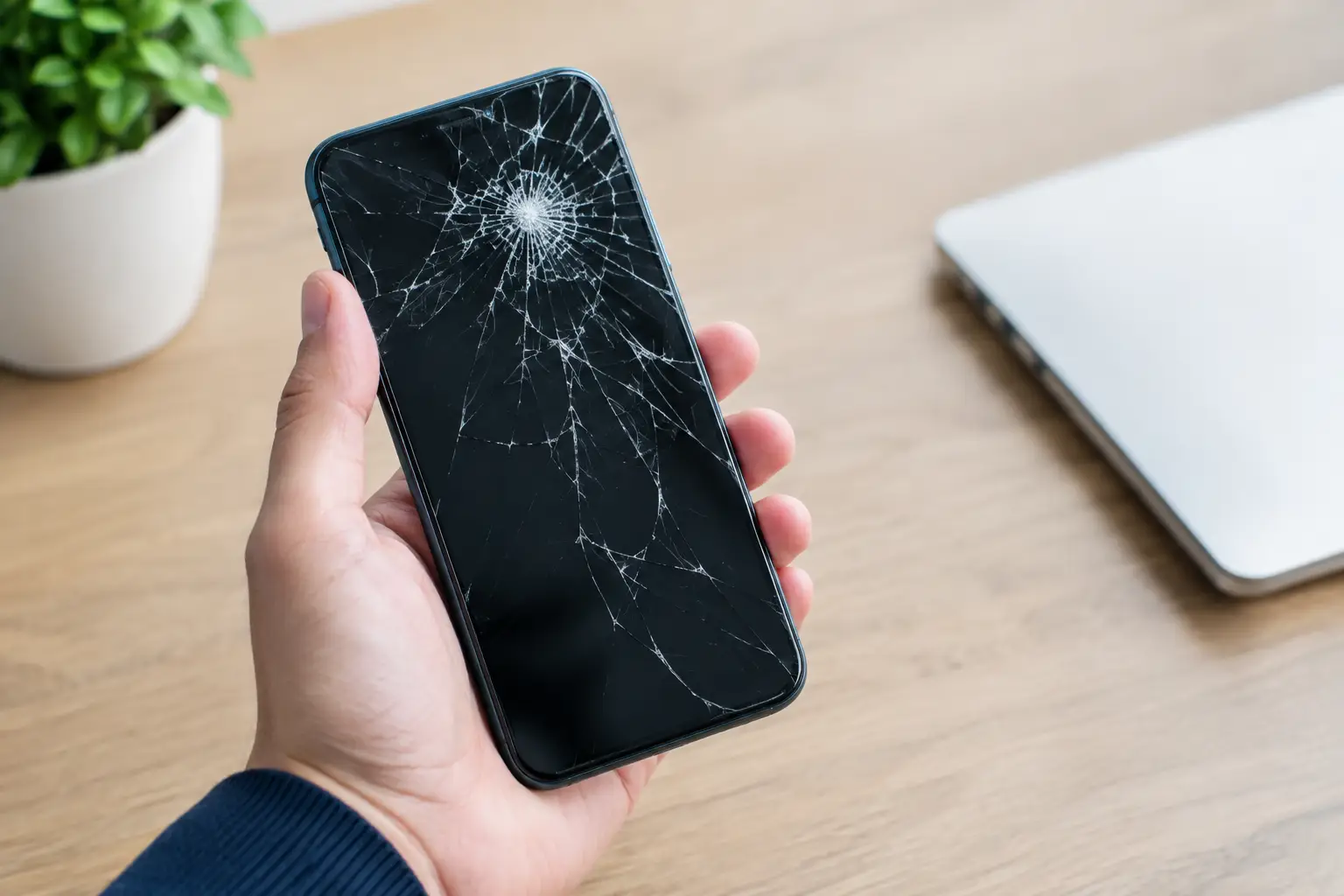
A search for “replace cracked phone screen” usually happens a few minutes after a drop, when the initial relief that the phone still switches on gives way to a closer look at the damage. A small crack can be annoying but usable. A shattered display, flickering image or unresponsive touch area is different: it can quickly turn a simple repair into a device you can no longer rely on for work, banking, travel or family contact.
The sensible decision is not always to repair immediately, but it should be made with the full condition of the phone in mind. Here is how to judge the damage, avoid making it worse and choose a repair that lasts.
When to replace a cracked phone screen
Not every crack means the display needs replacing on the same day. If the crack is light, away from the edges and the touchscreen, display and fingerprint functions all work normally, you may be able to use the phone carefully for a short time. A good temporary screen protector can hold loose glass in place and reduce the risk of cuts.
However, cracked glass weakens the screen’s protection against moisture, dust and another impact. The next drop may damage the OLED or LCD panel underneath, which is the part that produces the image. That is often when black patches, coloured lines, flashing, dead areas or a completely dark display appear.
Arrange a screen replacement promptly if you notice any of the following signs:
- Glass is splintering, lifting or catching on your fingers.
- The display has ink-like black marks, lines, flickering or dim patches.
- Parts of the touchscreen no longer respond accurately.
- The phone is getting unusually warm around the damaged area.
- The screen is separating from the frame or the device has also been bent.
A cracked screen can also affect water resistance, even where the phone was originally sold as water-resistant. Once the seal is compromised, do not assume it is safe around rain, a sink or a wet work surface.
Screen glass damage or a display fault?
Modern phone screens are made from several closely fitted layers. The outer glass protects the display panel and touch sensor beneath it. On many current devices, these parts are replaced as one complete screen assembly. This is usually the most reliable approach because it restores the glass, touch response and display quality together.
A phone may look badly cracked but still have a working display, or it may have unbroken glass with a damaged panel underneath after a hard knock. If the image is distorted, touch is unreliable or the screen remains black while the phone vibrates and receives calls, the problem is more than cosmetic.
That is why a proper inspection matters. An experienced technician can check the display, frame, charging function, cameras and sensors before work starts. It prevents a visible crack from distracting from another issue caused by the same impact.
Is it worth repairing your phone?
For a recent phone that otherwise works well, replacing the screen is often much more affordable than buying a replacement device. It also means you keep your familiar apps, photos, accounts and settings without the time and uncertainty of moving everything to another handset.
The calculation changes with the age and condition of the phone. If the battery is already draining rapidly, the charging port is loose and the screen is badly damaged, it is worth asking for a clear assessment of the combined repair cost. In some cases, repairing more than one fault still offers good value. In others, putting that money towards a newer device may be the better choice.
Consider the phone’s role as well as its resale value. A reliable handset used for work, two-factor authentication or managing a family’s daily life may be worth repairing simply because downtime is costly. For a business with several damaged devices, fast repairs can be less disruptive than replacing handsets and setting up each one again.
Why screen quality matters
The cheapest screen is not always the least expensive option once it is fitted. Poor-quality replacement parts can have reduced brightness, inaccurate colours, weaker touch sensitivity or a fit that leaves the frame vulnerable. On OLED phones in particular, display quality has a noticeable effect on battery use, outdoor visibility and everyday comfort.
A quality replacement screen should be selected for the specific make and model, whether you use an iPhone, Samsung, Google, Xiaomi, Huawei, Oppo, OnePlus or another supported brand. The aim is not simply to make the image appear again. It is to restore dependable touch control, clear display performance and a secure fit.
Ask what type of part is being used, whether the repair is covered by warranty and whether the technician will test the device before handing it back. A transparent quote should explain the expected work without hiding unexpected charges behind vague wording.
What happens during a professional screen replacement?
A careful repair begins with a diagnostic check. The technician confirms the model, tests the existing display and touch functions, and checks for signs of frame damage or other impact-related faults. Your device is then switched off and opened using the correct tools, rather than forced apart in a way that can damage cables, seals or the housing.
The damaged screen assembly is removed, the frame is cleaned and the new part is fitted securely. After reassembly, the screen, touch response, buttons, cameras, speakers, charging and relevant sensors should be tested. On some devices, additional calibration or component transfer is needed to preserve features such as the front camera assembly or fingerprint recognition.
Your personal data normally remains on the phone during a screen repair, but a backup is always wise if the device can still be used. Save important photos, contacts and files before handing it in. If the display no longer works, a repair specialist can explain the available options rather than making promises that do not fit the device’s condition.
Logiexpert Smartphone Repairs provides free diagnostics in Maarssen, helping customers understand the fault before deciding on a repair. If a repair cannot be completed, the no-fix-no-pay approach keeps the decision straightforward.
Do not make the damage worse while you wait
Avoid pressing hard on damaged glass or repeatedly testing a failing touch area. Do not use tape directly over a screen with exposed fragments, as adhesive residue can make cleaning harder and may pull at loose glass. Keep the phone dry, use a protective case where possible and avoid carrying it loose with keys or coins.
If the screen is lifting away from the frame, do not clamp it down or attempt to glue it yourself. A lifting screen can be caused by impact damage, but it can also point to a swollen battery. Stop charging the device if you notice swelling, heat or a widening gap, and have it checked as soon as possible.
After the repair: protect the investment
A replacement screen deserves better protection than the one it replaces. Fit a properly sized screen protector and use a case with raised edges around the display. Neither makes a phone indestructible, but together they can turn the next minor drop into a replaceable protector rather than another screen repair.
Keep an eye on how the phone behaves over the first few days. Touch should feel consistent across the whole display, colours should look normal and the screen should sit flush with the frame. If anything does not feel right, return to the repairer promptly while the work is still fresh and easy to assess.
A cracked phone screen does not need to become a lost connection, missed deadline or expensive replacement purchase. Get the damage assessed early, choose quality parts and let a capable technician restore the phone you already depend on.
Lascia un commento